Working from home sounds great — until you realize you've been hunching over a laptop on your bed for three hours and your back feels like it aged 20 years overnight.
The good news? You don't need a full home office to work well. You just need one well-thought-out corner. The right desk lamp, a monitor riser to get your screen at eye level, somewhere to put your stuff, and a chair that doesn't punish you for sitting in it.
We've put together a 5-product WFH desk setup for $113.95 that works whether you're in a studio apartment, a dorm room, or just trying to carve out a productive corner in your bedroom.
Quick Tip
The biggest upgrade most WFH setups need isn't a new desk — it's getting your screen to eye level and improving your lighting. Start there before anything else.
Why Your Desk Setup Actually Matters
A bad desk setup doesn't just look messy — it affects how long you can focus, how your body feels at the end of the day, and honestly, how motivated you feel to sit down and get things done.
Here are the three things that make the biggest difference:
Screen Height
Your screen should be at eye level. Looking down at a laptop for hours strains your neck and shoulders. A simple monitor riser fixes this instantly.
Lighting
Working under harsh overhead lights or in dim conditions causes eye strain and fatigue faster than almost anything else. A good desk lamp makes a real difference.
Comfort and Organization
A cluttered desk and an uncomfortable chair are productivity killers. Clearing your desk and supporting your posture helps you stay focused longer.
The Full $113.95 Budget Breakdown
Five products. All on Amazon. All chosen because they solve a real problem — not just because they look good in a desk setup photo.
Budget Tracker
That's a fully functional, comfortable, and clean desk setup for less than most people spend on a single month of coffee.
The 5 Products We Recommend
Each product below solves a specific problem in your WFH setup. We've linked every one to Amazon so you can check reviews and current pricing before buying.
1. Monitor Stand / Laptop Riser
This is the first thing to fix in any desk setup. Getting your screen to eye level eliminates neck strain almost immediately. Most laptop risers also have built-in storage underneath, which is a bonus for keeping your desk clean.

Desk Essentials
Monitor Stand / Laptop Riser
Raises your screen to eye level to eliminate neck strain. Built-in storage underneath keeps your desk clear. Sturdy, minimal design that works with any desk aesthetic.
2. LED Desk Lamp
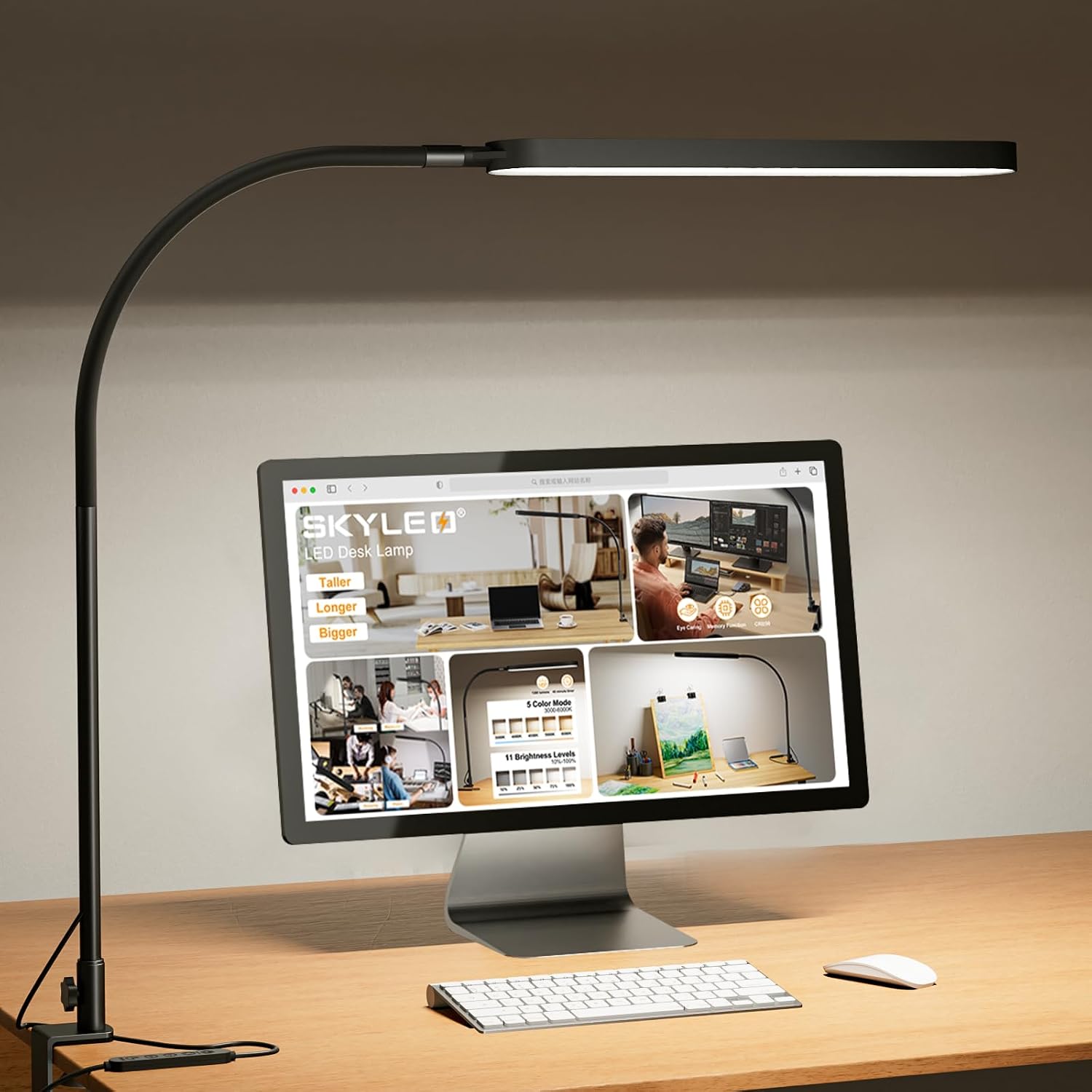
A good desk lamp does more than light up your workspace. Look for one with adjustable color temperature — warm light for winding down, cool white for focused work. Bonus if it has a USB charging port built in so you're not hunting for outlets.
Lighting
LED Desk Lamp
Adjustable brightness and color temperature modes. Reduces eye strain during long work sessions. Built-in USB port for charging your phone while you work. A proper desk essential.
3. Ergonomic Chair Cushion
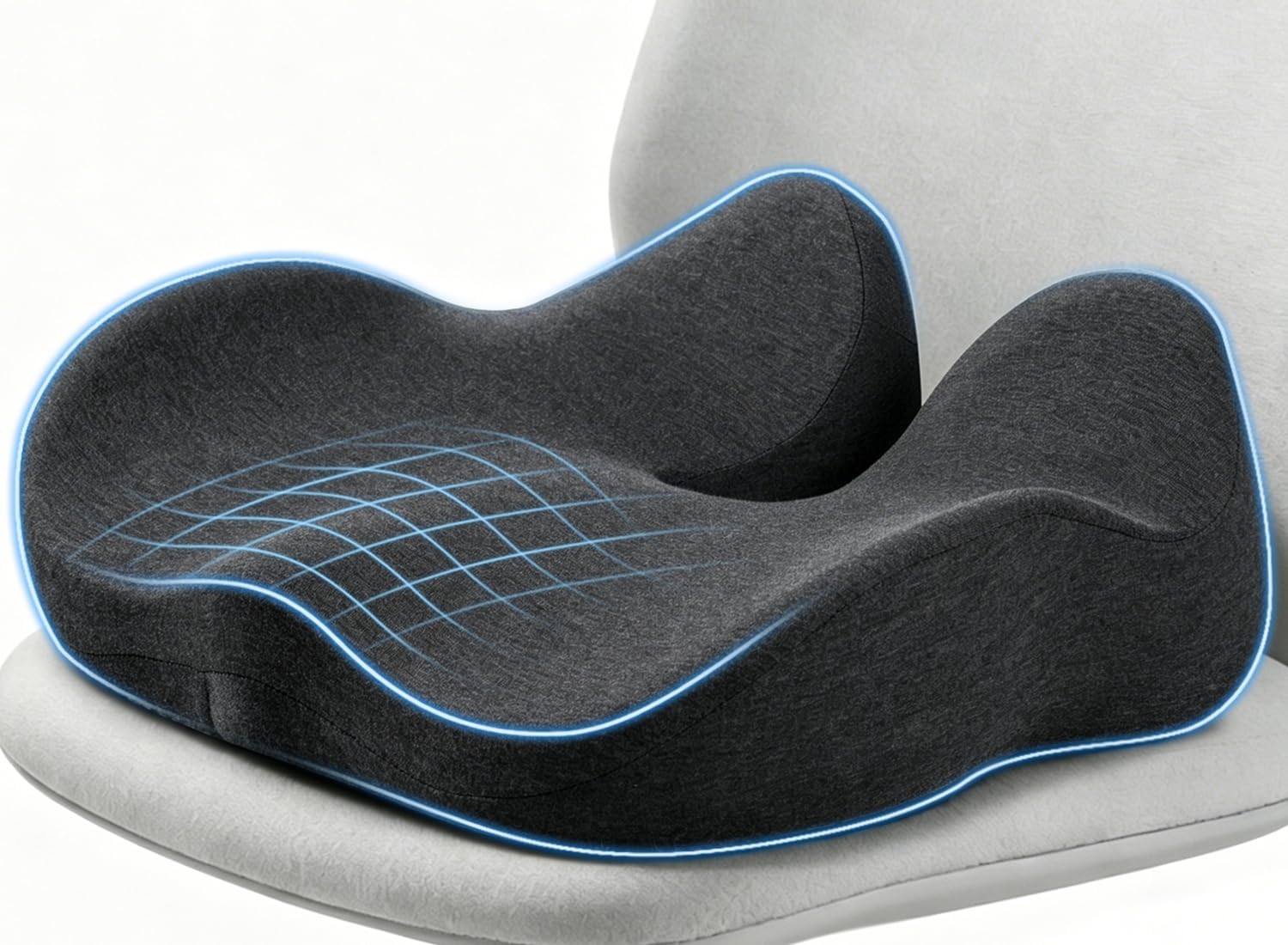
Most of us aren't working in ergonomic office chairs — we're sitting on dining chairs, folding chairs, or whatever came with our apartment. An ergonomic seat cushion is the cheapest way to make any chair dramatically more comfortable for long sitting sessions.
Comfort
Ergonomic Chair Cushion
Memory foam seat cushion designed to reduce tailbone and lower back pressure. Works on any chair. A game-changer if you're sitting for 4+ hours a day on a non-ergonomic seat.
4. Desk Organizer
A cluttered desk is a cluttered mind — and it's also just stressful to look at during a long workday. A simple desk organizer gives everything a place: your pens, sticky notes, chargers, and whatever else ends up on your desk by the end of the week.

Organization
Desk Organizer
Multi-compartment organizer that keeps your desk surface clean and everything within reach. Fits pens, notepads, sticky notes, and small accessories. Clean design that doesn't fight your aesthetic.
5. Cable Management Clips
Tangled cables are the easiest thing to fix and the most commonly ignored. A pack of cable management clips takes 10 minutes to set up and instantly makes your desk look 10 times cleaner. It's one of those small things that makes a surprisingly big difference.

Organization
Cable Management Clips
Adhesive cable clips that stick to your desk or wall and keep wires neat and out of the way. Easy to install, easy to reposition. The cheapest upgrade on this list with one of the biggest visual payoffs.
How to Set It All Up
Once everything arrives, set it up in this order for the smoothest experience:
Clear your desk completely
Remove everything. Wipe it down. Starting with a clean surface makes the setup process much easier and more satisfying.
Place the monitor riser
Center it on your desk. Put your laptop or monitor on top. Adjust your chair height so your eyes are level with the top third of the screen.
Position your lamp
Place it to the left if you're right-handed, right if you're left-handed. This minimizes shadows while you write or type.
Set up your organizer
Place it within arm's reach but off to the side so it doesn't crowd your main workspace. Put only what you actually use daily inside it.
Manage your cables
Stick the cable clips along the back edge of your desk or down the desk leg. Route all your cables through them. Takes 10 minutes and the result is immediately satisfying.
Honest Tips Before You Buy
Watch Out
Don't buy a new desk thinking it'll fix your productivity. In most cases, the problem is lighting, screen height, and clutter — not the desk itself. Fix those first.
- Measure your desk height first. Make sure the monitor riser fits without putting your screen too high.
- Buy the cable clips last. Set everything else up first, then see where the cables naturally fall before deciding where to stick the clips.
- Keep your organizer minimal. Only put things you use every single day in it. Everything else goes in a drawer or box.
- Try the cushion for a week. It may feel different at first — give it a few days before deciding if it works for you.
- Natural light is your best friend. If you can position your desk near a window, do it. No lamp beats real daylight for focus and mood.
What to Add Next
Once your basic setup is done and working well, here's what to consider adding over time:
- A keyboard and mouse ($20–50) — if you're on a laptop, going external reduces wrist strain significantly
- A small plant ($5–15) — adds life to your corner and genuinely improves mood while working
- A whiteboard or corkboard ($15–30) — great for keeping tasks visible without cluttering your desk
- A proper ergonomic chair ($80–200) — worth saving up for if you're working from home full-time
But don't wait until you have everything. A $114 setup that's actually set up beats a $1,000 setup you're still planning.
Final Thought
Your desk corner doesn't have to be Instagram-perfect. It just has to make you feel ready to work. Set it up, sit down, and get things done. 💻